Giving a quick example today of how to use schema-based security with a vertical partition to implement a security constraint.
For more information on partitioning you can start here: https://learn.microsoft.com/en-us/azure/architecture/best-practices/data-partitioning
For this example, I am going to use employee data and a possible strategy to protect some of the sensitive data. Additional layers of security measures are highly recommended. Additional comments at the end on additional work that would be required for refactoring like this.
Quick note/disclaimer: storing Personally Identifiable Information (PII), Payment Card Industry (PCI), and/or other sensitive information is serious business and may be subject to numerous laws and regulations based upon but not limited to locations, individuals, and industry standards. The examples used here are purely fictional and only used for training purposes.
Some initial set up:
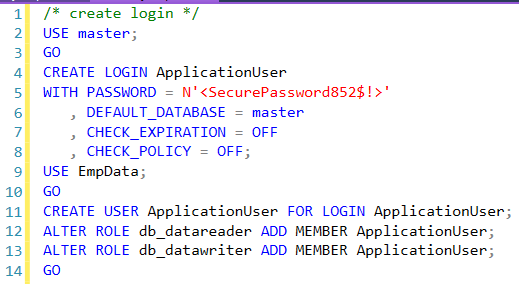
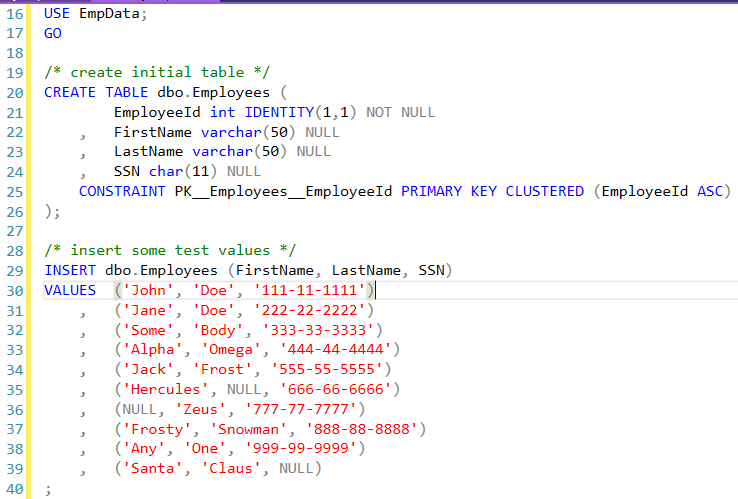
Now login with the application account and run a query to see the data in SSMS.
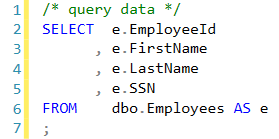
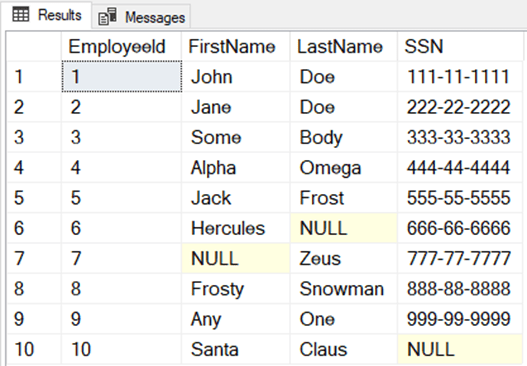
As you can see, without additional programming constraints, the application account would have read/write access to the sensitive information.
Now let’s make some changes.
First, we are going to change from role-based to schema-based security by dropping the user and recreating.
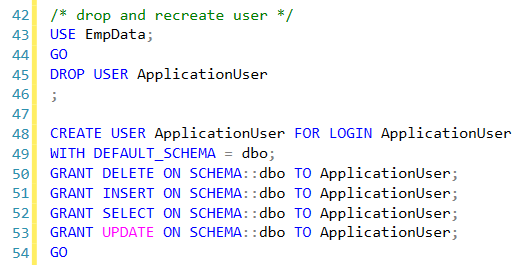
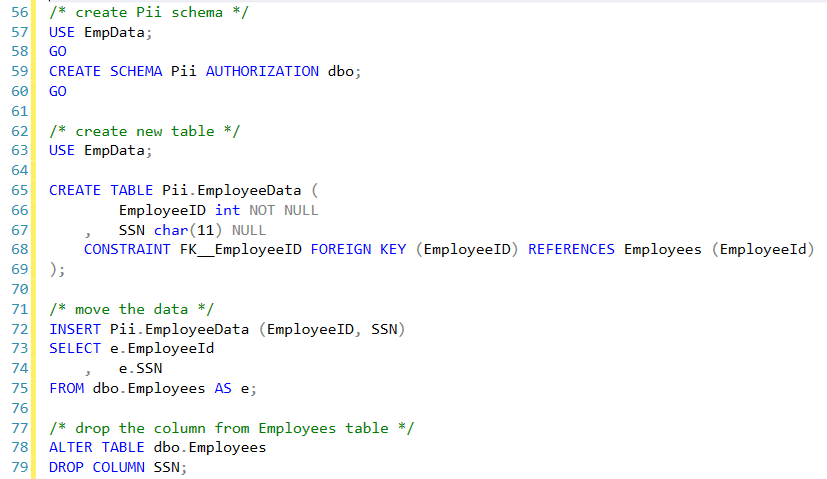
Then make the DDL changes and move the data.
The new query to pull the data would look like this:
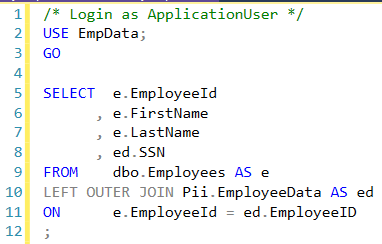
When executed with ApplicationUser permissions now results with the following error:

Before this gets to be too long; it is quite easy to see from here that refactoring design can be quite costly. I am not going to dive into the rabbit hole that is refactoring application code, testing, updating perhaps hundreds of Users, documentation updates, maintenance windows, etc.
This example highlights how security can be applied at the database level to allow only authorized access to sensitive data.
 Rob Buecker Consulting
Leave a comment